
基于昇思+昇腾,玩转 CogView4生成汉字!
2025/03/07实践
基于昇思+昇腾,玩转 CogView4生成汉字!
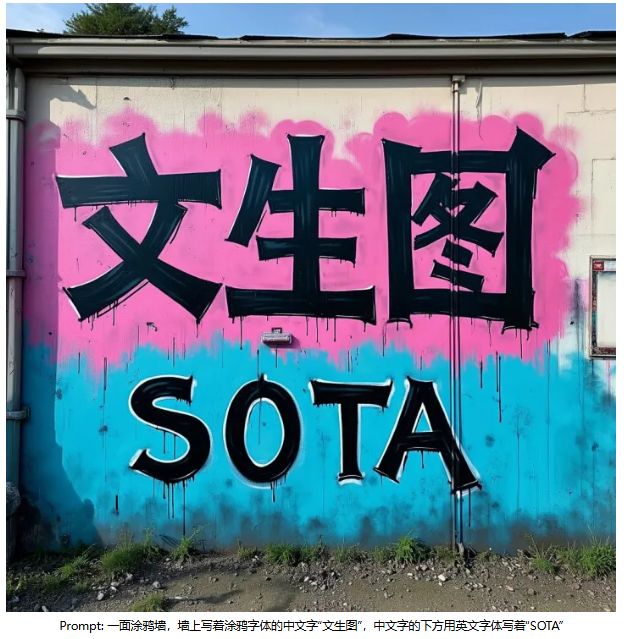
2025年3月4日,智谱开源了首个支持生成汉字的开源文生图模型 CogView4。该模型具有6B权重,支持原生中文输入,支持中文文字绘画。CogView4 在 DPG-Bench 基准测试中的综合评分排名第一,在开源文生图模型中达到 SOTA 水平。
昇思MindSpore 团队快速支持 CogView4 Diffusers 工作流并开源至MindSpore ONE仓库,结合昇腾硬件,为开发者提供简单易用体验。本文将介绍如何基于昇思MindSpore和单机Atlas 800T A2,通过简单命令,单卡玩转 CogView4 推理。
开源链接:
https://github.com/mindspore-lab/mindone/tree/master/examples/cogview
魔乐社区在线体验:
https://modelers.cn/spaces/MindSpore-Lab/cogview4
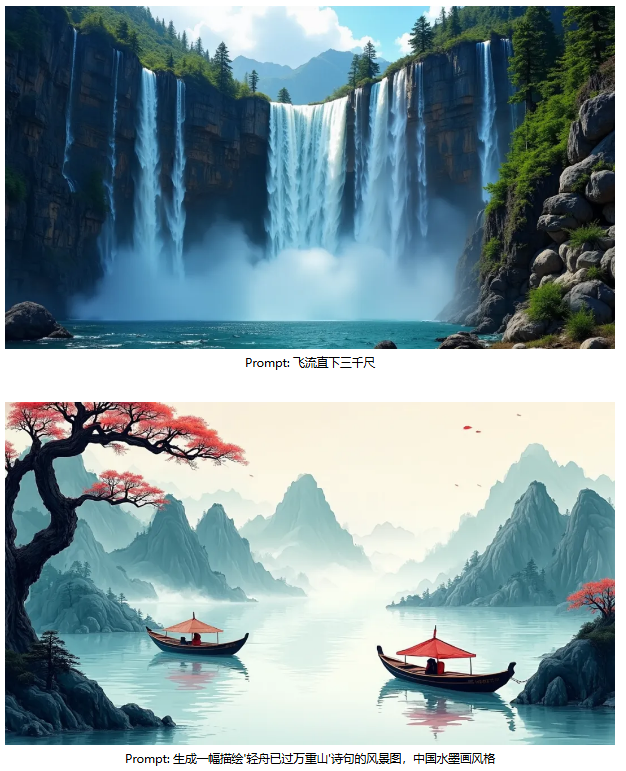
# 01****效果展示
# 02****快速玩转CogView4
1、环境准备
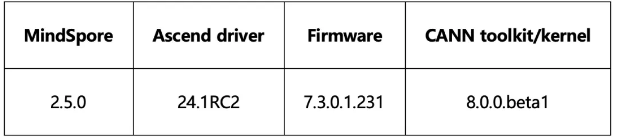
- CANN下载:
- https://www.hiascend.com/developer/download/community/result
- MindSpore下载:
- https://www.mindspore.cn/install
2、安装依赖
git clone https://github.com/mindspore-lab/mindone

# install mindone
cd mindone
pip install -e .

cd examples/cogview
3、启动推理
无需提前准备模型权重,Diffusers 工作流根据脚本给定的模型名称自动从 huggingface 获取权重!以下单行命令即可快速启动推理!
python inference/cli_demo_cogview4.py --prompt {your prompt}
详细推理命令可参考以下样例。可使用 BF16 推理。
from mindone.diffusers import CogView4Pipeline
import mindspore as ms

pipe = CogView4Pipeline.from_pretrained("THUDM/CogView4-6B", mindspore_dtype=ms.bfloat16)

pipe.vae.enable_slicing()
pipe.vae.enable_tiling()

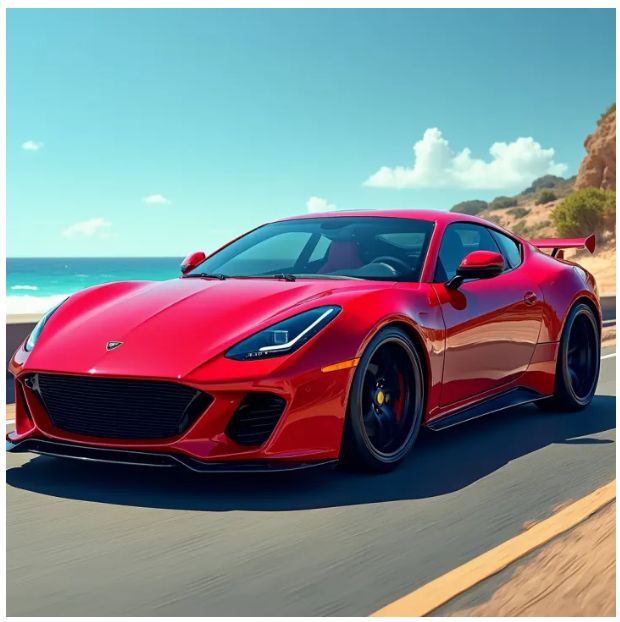
prompt = "A vibrant cherry red sports car sits proudly under the gleaming sun, its polished exterior smooth and flawless, casting a mirror-like reflection. The car features a low, aerodynamic body, angular headlights that gaze forward like predatory eyes, and a set of black, high-gloss racing rims that contrast starkly with the red. A subtle hint of chrome embellishes the grille and exhaust, while the tinted windows suggest a luxurious and private interior. The scene conveys a sense of speed and elegance, the car appearing as if it's about to burst into a sprint along a coastal road, with the ocean's azure waves crashing in the background."
image = pipe(
    prompt=prompt,
    guidance_scale=3.5,
    num_images_per_prompt=1,
    num_inference_steps=50,
    width=1024,
    height=1024,
)[0][0]

image.save("cogview4.png")
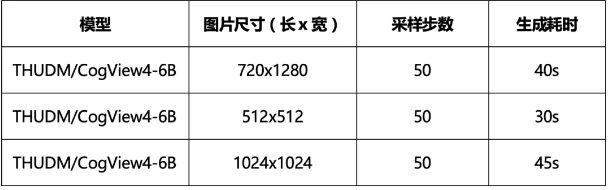
4、性能实测
快来体验吧!