
A Practice of Using the Automatic Colorization Algorithm
A Practice of Using the Automatic Colorization Algorithm
Model Description
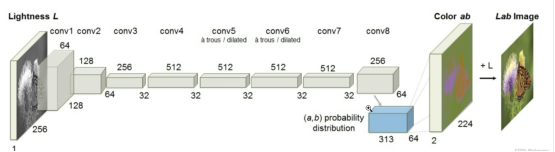
The Colorization algorithm (project code) that uses the convolutional neural network (CNN) structure is a study from the University of California. This algorithm realizes automatic coloring of grayscale images. It was proposed by Richard Zhang et al. in the paper Colorful Image Colorization which was published at the European Conference on Computer Vision (ECCV) in 2016. The model they proposed consists of 8 convolutional layers. Each convolutional layer consists of 2 or 3 repeated convolutional layers and ReLU layers, followed by a BatchNorm layer. The network does not contain pooling layers.
Network Features
A suitable loss function is designed to deal with the multi-modal uncertainty in coloring, which maintains the color diversity.
The image coloring task is transformed into a self-supervised representation learning task.
State-of-the-art results are achieved on some benchmark models.
encode_layer = NNEncLayer(opt)

    boost_layer = PriorBoostLayer(opt)

    non_gray_mask = NonGrayMaskLayer()

    net = ColorizationModel()

    net_opt = nn.Adam(net.trainable_params(), learning_rate=opt.learning_rate)

    net_with_criterion = NetLoss(net)

    scale_sense = nn.FixedLossScaleUpdateCell(1)

    my_train_one_step_cell_for_net = nn.TrainOneStepWithLossScaleCell(net_with_criterion, net_opt,

                                                                      scale_sense=scale_sense)

    colormodel = ColorModel(my_train_one_step_cell_for_net)

    colormodel.set_train()
The main principle of the algorithm is as follows: Feed the L channel of a grayscale image in LAB color space into the model to infer the AB channel, and then combine the original L channel with the inferred AB channel to obtain a colored image.
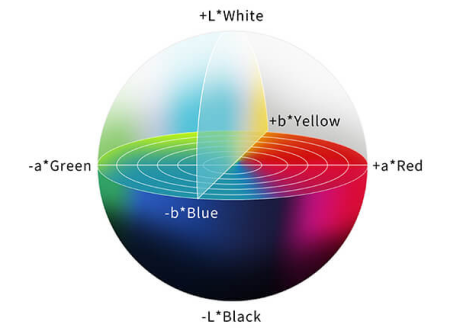
RGB is a common image format that uses three color channels: red, green, and blue. The three are combined to reproduce a broad variety of colors. In the LAB color space, channel L indicates the image lightness, whose value ranges from 0 to 100. A larger value indicates a brighter color. The value of AB ranges from –128 to +128. A indicates the red-green component of a color, and B the blue-yellow component of a color.
S__ource: Linshang Technology
Data Preparation
This practice uses subsets of the ImageNet dataset (152 GB) as the training dataset and test dataset. The training dataset contains 1,000 categories and about 1.2 million images in total. The test dataset contains 50,000 images.
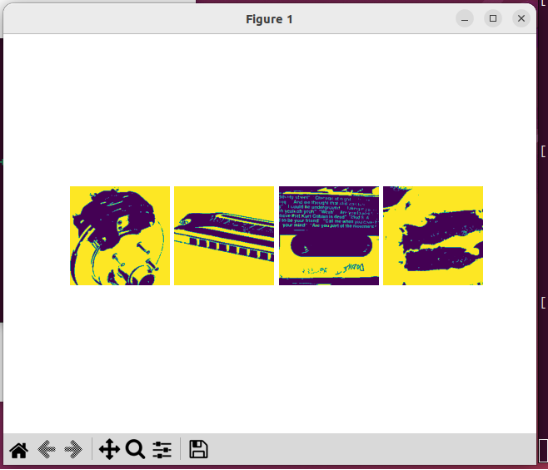
Visualize the training dataset.
import os

import argparse

from tqdm import tqdm

import numpy as np

import matplotlib.pyplot as plt

import mindspore

from src.process_datasets.data_generator import ColorizationDataset


# Load parameters.

parser = argparse.ArgumentParser()

parser.add_argument('--image_dir', type=str, default='./dataset/train', help='path to dataset')

parser.add_argument('--batch_size', type=int, default=4)

parser.add_argument('--num_parallel_workers', type=int, default=1)

parser.add_argument('--shuffle', type=bool, default=True)

args = parser.parse_args(args=[])

plt.figure()


# Load the dataset.

dataset = ColorizationDataset(args.image_dir, args.batch_size, args.shuffle, args.num_parallel_workers)

data = dataset.run()

show_data = next(data.create_tuple_iterator())

show_images_original, _ = show_data

show_images_original = show_images_original.asnumpy()

# Loop processing

for i in range(1, 5):

    plt.subplot(1, 4, i)

    temp = show_images_original[i-1]

    temp = np.clip(temp, 0, 1)

    plt.imshow(temp)

    plt.axis("off")

    plt.subplots_adjust(wspace=0.05, hspace=0)
plt.show()
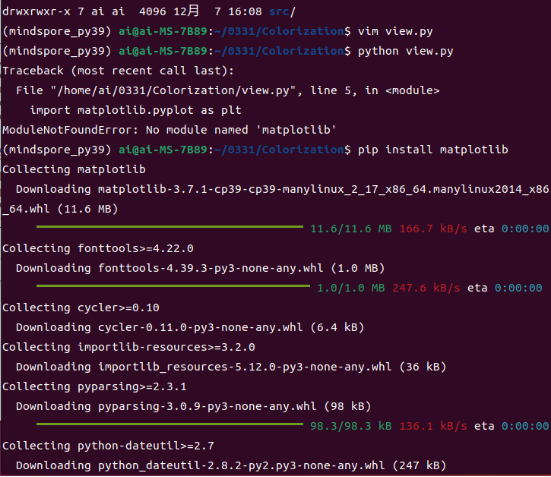
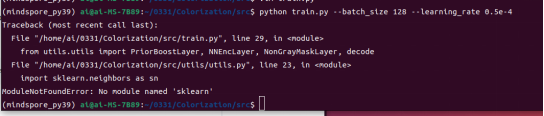
A message is displayed, indicating that a dependency is missing.
The visualization result is as follows:
Train the model by executing train.py in the src directory.
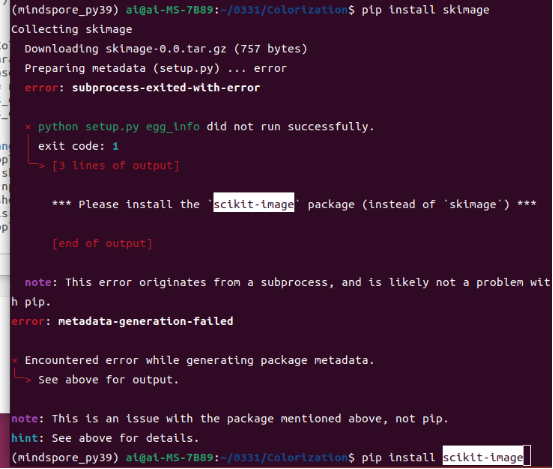
A message is displayed, indicating that another dependency is missing.
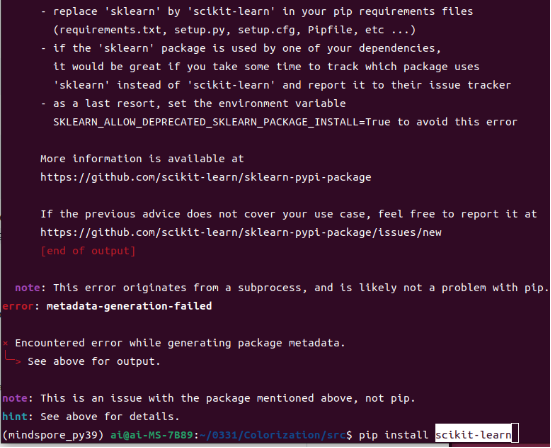
Install the dependency and continue with the training.

An error is reported again.
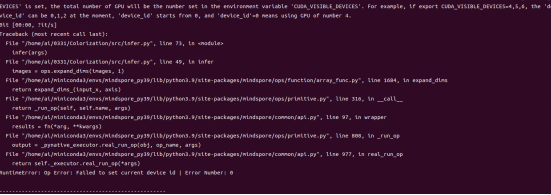
Check the code. It is found that the value of device_id is set to 1. However, given that there is only one GPU card, change the value to 0.
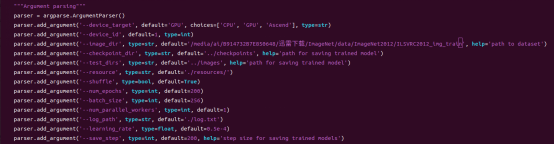
Let's proceed.
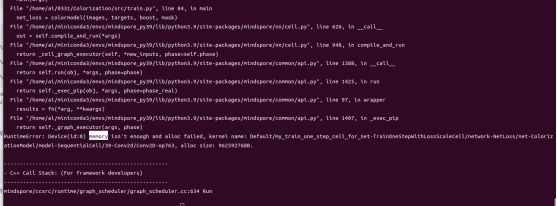
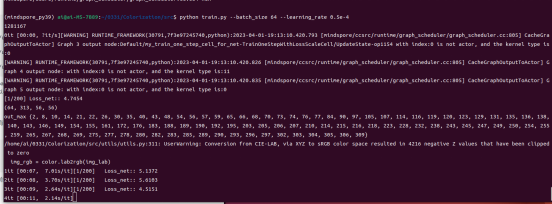
Our GPU memory is 12 GB only, which is insufficient when the batch size is set to 128. So reduce the value to 64.
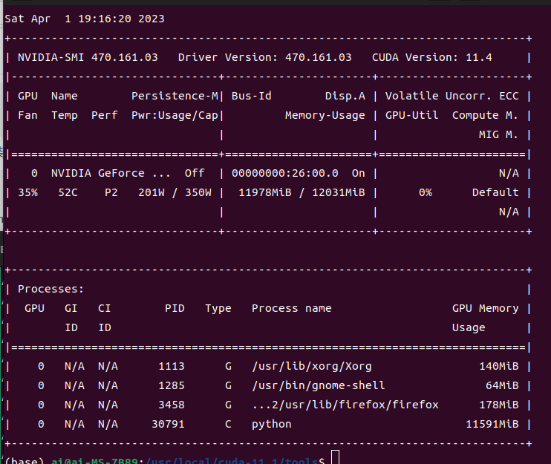
Check the GPU status. The power is 200 W, and the memory usage is approximately 12 GB.
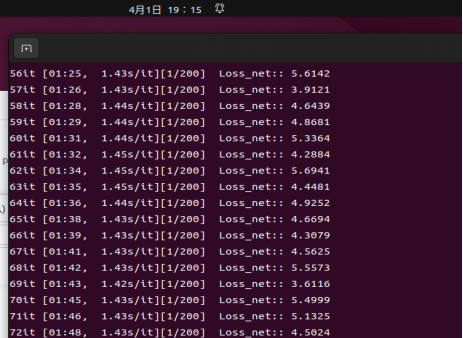
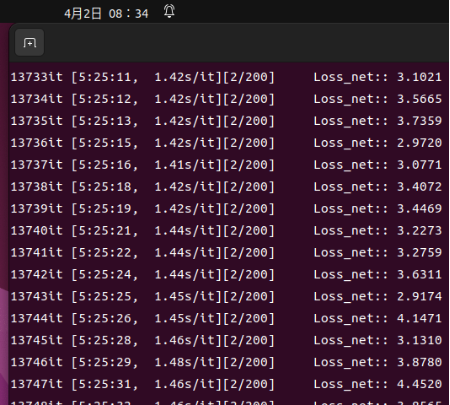
Due to limitations on a single device, the training has not finished after about 12 hours.
The size of the saved model files is 22 GB in total.
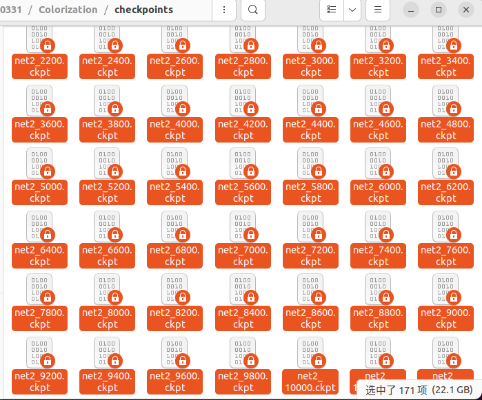
Stop training and select the latest weight for inference.
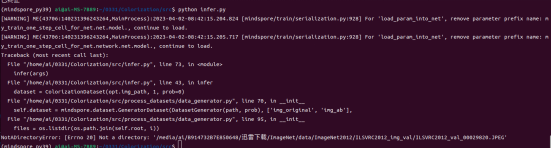
Execute infer.py.
During dataset reading, it is found that there is no folder in dataset valtest. So create a folder.
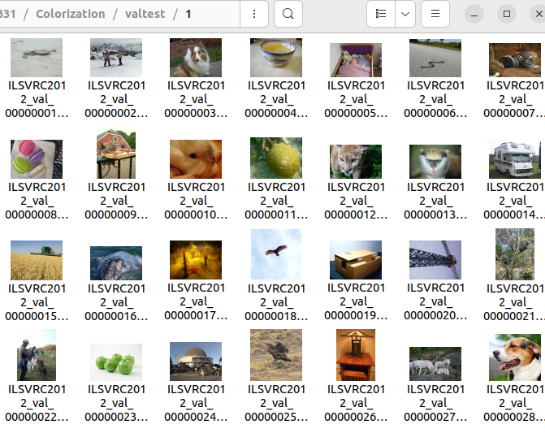
Change the value of device_id to 0 as previously.
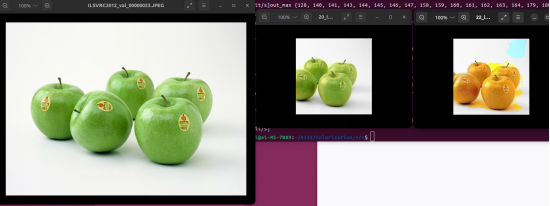
The middle part shows the inference result of the pretrained MindSpore model, and the rightmost part shows the inference result of the trained model in this practice.
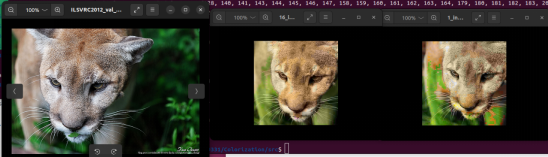
Uh, it seems that the input should be grayscale images. Let's get it correct and check the result.
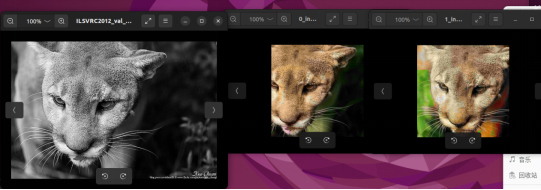
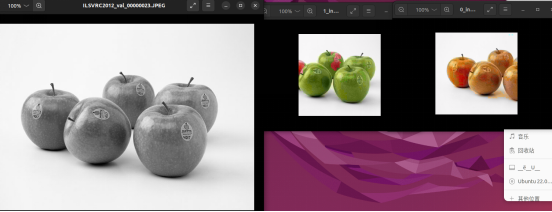
Well, as is seen, there's still large room for improvement in our model accuracy due to a lot of reasons including the limited training time. Stay tuned for more inspiring practices.