
[MindSpore Made Easy] Installing MindSpore 1.7.0 GPU Version on Jetson AGX Orin
MindSpore Made Easy Installing MindSpore 1.7.0 GPU Version on Jetson AGX Orin
July 4, 2022
The author once managed to compile and install MindSpore 1.6.0 CUDA 11 on Jetson AGX Orin using GCC 7.3.0: https://bbs.huaweicloud.com/forum/thread-186292-1-1.html.
He also tried to compile MindSpore 1.8.0 CUDA 11 using GCC 9.4.0 but failed: https://bbs.huaweicloud.com/forum/thread-193443-1-1.html
So today, we'll follow him to install the version 1.7.0, which is officially displayed as the latest version.
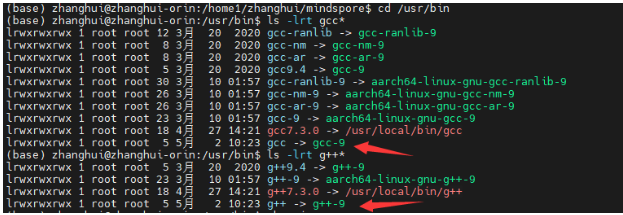
Point the soft links of GCC and G++ to /usr/bin/gcc-9 and /usr/bin/g++-9.
Download the MindSpore 1.7 source package.

Modify build_mindspore.sh.
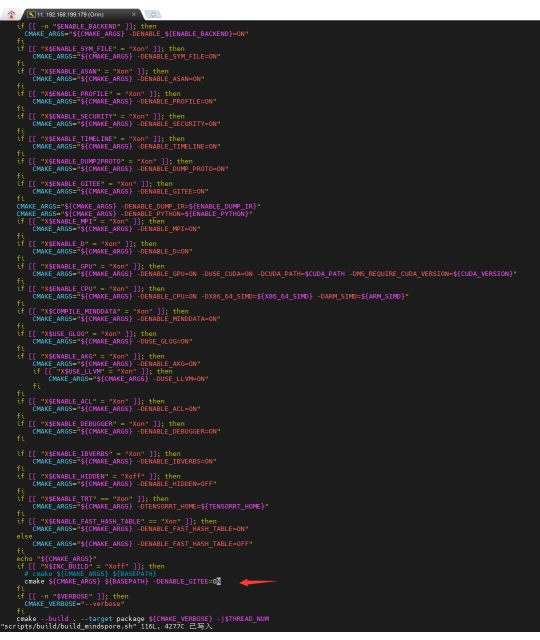
As pointed out in the preceding figure, -DENABLE_GITEE=ON is added.
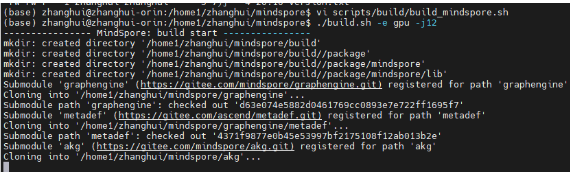
Run the ./build.sh -e gpu -j12 command to start compilation.
...
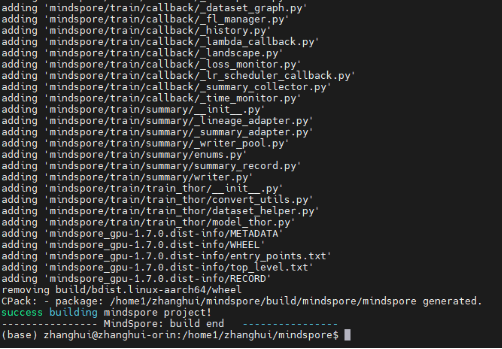
Surprisingly, the compilation runs smoothly.
Have a look at the Python version used for compilation.

It is Python 3.9.
Check the compilation result.

Create a conda environment:
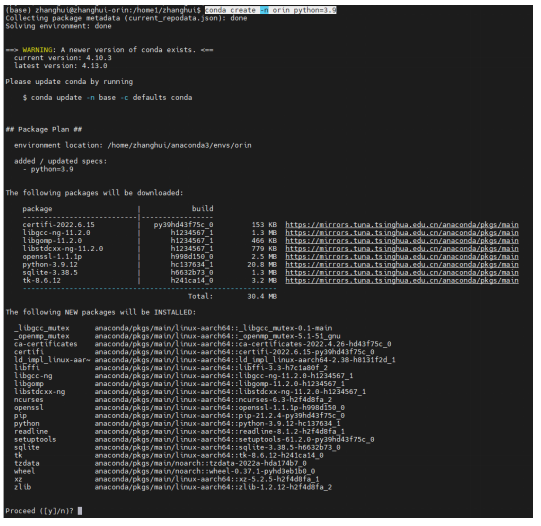
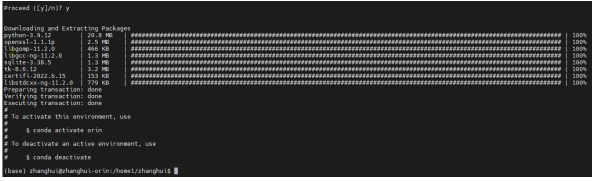
Check the version.

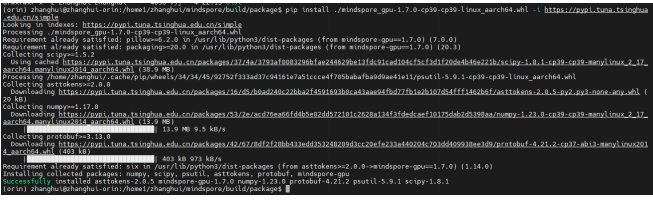
Then, the installation starts.
pip install ./mindspore_gpu-1.7.0-cp39-cp39-linux_aarch64.whl -i https://pypi.tuna.tsinghua.edu.cn/simple
Verification: vi test.py
import numpy as np

from mindspore import Tensor

import mindspore.ops as ops

import mindspore.context as context


context.set_context(device_target="GPU")

x = Tensor(np.ones([1,3,3,4]).astype(np.float32))

y = Tensor(np.ones([1,3,3,4]).astype(np.float32))

print(ops.add(x, y))
python test.py
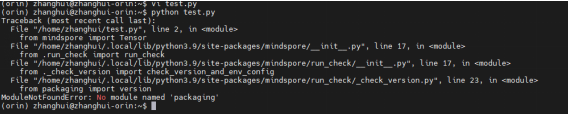
Return to the base.
conda deactivate
python test.py

python3 test.py
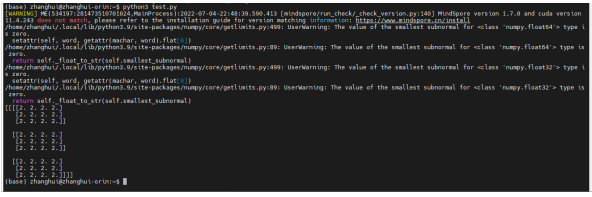
It seems that Python and Python 3 have multiple versions.
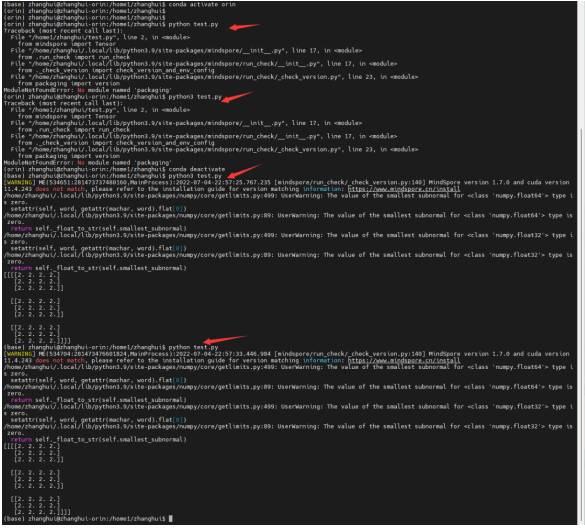
The two are allowed in the base environment. However, in the Orin Python 3.9 environment of conda, both are not supported.
That's weird. It is still a puzzle for us to solve.