
MindSpore Error Information Tricks (3): Discriminating Two Running Modes
MindSpore Error Information Tricks (3): Discriminating Two Running Modes

In most cases, a deep learning framework supports two running modes: static graph mode and dynamic graph mode. In static graph mode, the network is compiled into a graph, and operations are performed according to the graph's structure. In dynamic graph mode, code is sequentially executed. MindSpore also supports two running modes, PyNative mode (dynamic graph mode) and Graph mode (static graph mode). In PyNative mode, operators in the neural network are delivered and executed one by one, facilitating the compilation and debugging of the neural network model. In the latter mode, the neural network model is compiled into a graph and then delivered for execution. This mode uses technologies such as graph optimization to improve running performance and facilitates large-scale deployment and cross-platform operation.
Normally, the running mode is selected according to the network requirements to be trained. However, this blog takes a different approach by analyzing the error information of the Cell source code for both modes. From the Cell introduction below, we could see that the MindSpore Cell class is the basis for setting up networks, as well as the basic unit of a network. In order to customize a network, the Cell class needs to be inherited and the __init__ and construct methods need to be overwritten.
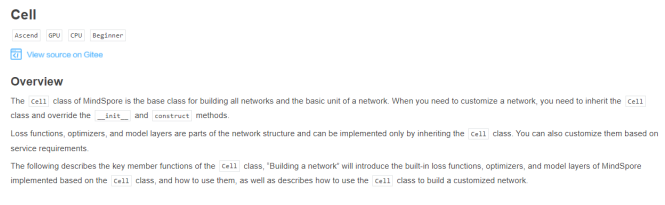
The following are three methods used to distinguish the two modes from error messages of the Cell source code.
1. self.compile_and_run(*args)
Example:
def __call__(self, *args, **kwargs):

...

# Run in Graph mode.

if context._get_mode() == context.GRAPH_MODE:

...

out = self.compile_and_run(*args)

return out

...

# Run in PyNative mode.

...

with self.CellGuard():

try:

output = self.run_construct(cast_inputs, kwargs)

except Exception as err:

_pynative_executor.clear_res()

raise err

...
The __call__ function must be called during network execution, and Graph and PyNative modes execute different code branches. The error information above shows that the self.compile_and_run(*args) function is invoked, which is executed and reported in Graph mode.
2. context.get_context("mode")
Example:
Traceback (most recent call last):

File "test1.py", line 26, in

output = net(x)

File "/root/anaconda3/envs/test/lib/python3.7/site-packages/mindspore/nn/cell.py", line 479, in __call__

out = self.compile_and_run(*args)

File "/root/anaconda3/envs/test/lib/python3.7/site-packages/mindspore/nn/cell.py", line 802, in compile_and_run

...

arg_name, prim_name, rel_str, arg_value, type(arg_value).__name__))

ValueError: `axis` in `ReduceMean` should be in range of [-4, 4), but got 5.000e+00 with type `int`.
By default, MindSpore is in PyNative mode. You can switch it to the graph mode by calling context.set_context(mode=context.GRAPH_MODE). Similarly, MindSpore in graph mode can be switched to PyNative mode through context.set_context(mode=context.PYNATIVE_MODE). That is, you can call context.get_context("mode") to check the running mode.
3. The function call stack
Example:
The function call stack (See file '/root/mindspore_test/rank_0/om/analyze_fail.dat' for more details):

# 0 In file /root/anaconda3/envs/test/lib/python3.7/site-packages/mindspore/nn/layer/math.py(1003)

if tensor_dtype == mstype.float16:

# 1 In file /root/anaconda3/envs/test/lib/python3.7/site-packages/mindspore/nn/layer/math.py(1007)

if not self.keep_dims:

# 2 In file /root/anaconda3/envs/test/lib/python3.7/site-packages/mindspore/nn/layer/math.py(1005)

mean = self.reduce_mean(x, self.axis)

^
As mentioned earlier, the network compiles and generates a graph structure before it is executed in Graph mode. However, if a graph's node fails to be executed, how can we find the line of code that generates the node? To solve this problem, MindSpore provides a tracing mechanism for static graph nodes. The function call stack records how the node is converted from code. In other words, we can find how the operator is generated by code based on the stack to find the faulty code. As shown in the returned error code, the incorrect reduce_mean operator is generated from line 1005 in mindspore/nn/layer/math.py. If an error is reported when the network is executed in a static graph, we can use The function call stack to locate the specific code line.
Error messages mainly indicate that a desired operation has failed, or feed back important warnings. I hope this blog has helped you understand how error messages can be used to discriminate the running modes of a deep learning framework. However, error messages can do more than that. For more details, please subscribe to MindSpore News at https://www.mindspore.cn/news/en.